Find the products burning your ad budget.
PMK Core joins ad cost, revenue and purchases per product, splits your catalog into 7 performance segments, and pushes them back into Google & Meta as feed labels — automatically, on every run.
Ad platforms optimize campaigns. Your money is lost per product.
Three things go wrong in every large catalog:
Budget burns silently
In a typical catalog, 15% of products eat ad spend and never sell once. Campaign averages hide them completely.
Networks grade their own homework
Google and Meta report conversions your database never saw. We call these Grey Holes — and we find them.
Too many SKUs to manage by hand
At 10,000+ products, nobody checks cost against revenue per SKU. So nothing gets fixed.
Seven segments. One decision each.
Every run, PMK Core ranks your whole catalog on two axes — ad cost, and revenue with purchases — and lands every product in exactly one segment with a clear action.
A real catalog distribution: nearly half the products are Phantoms, and 15% are Black Holes quietly spending with zero return.
How it works
Connect
Google Ads, GA4, Google Merchant — plus Meta Ads, sales & COGS data.
Run
A scheduled run matches cost, revenue and purchases to every product — an immutable snapshot.
Segment & act
The 7 segments, drill-downs to product level, and a prioritized action list.
Export
Segments flow back to Google & Meta as supplemental-feed custom labels. Campaigns restructure around them.
Proven on a 70,000-product store first
Total Fishing runs PMK Core in production. The numbers below are from the published case study.
Everything in the platform
Every screen exists to answer one question about your catalog. Explore them all on the platform tour.
Dashboard
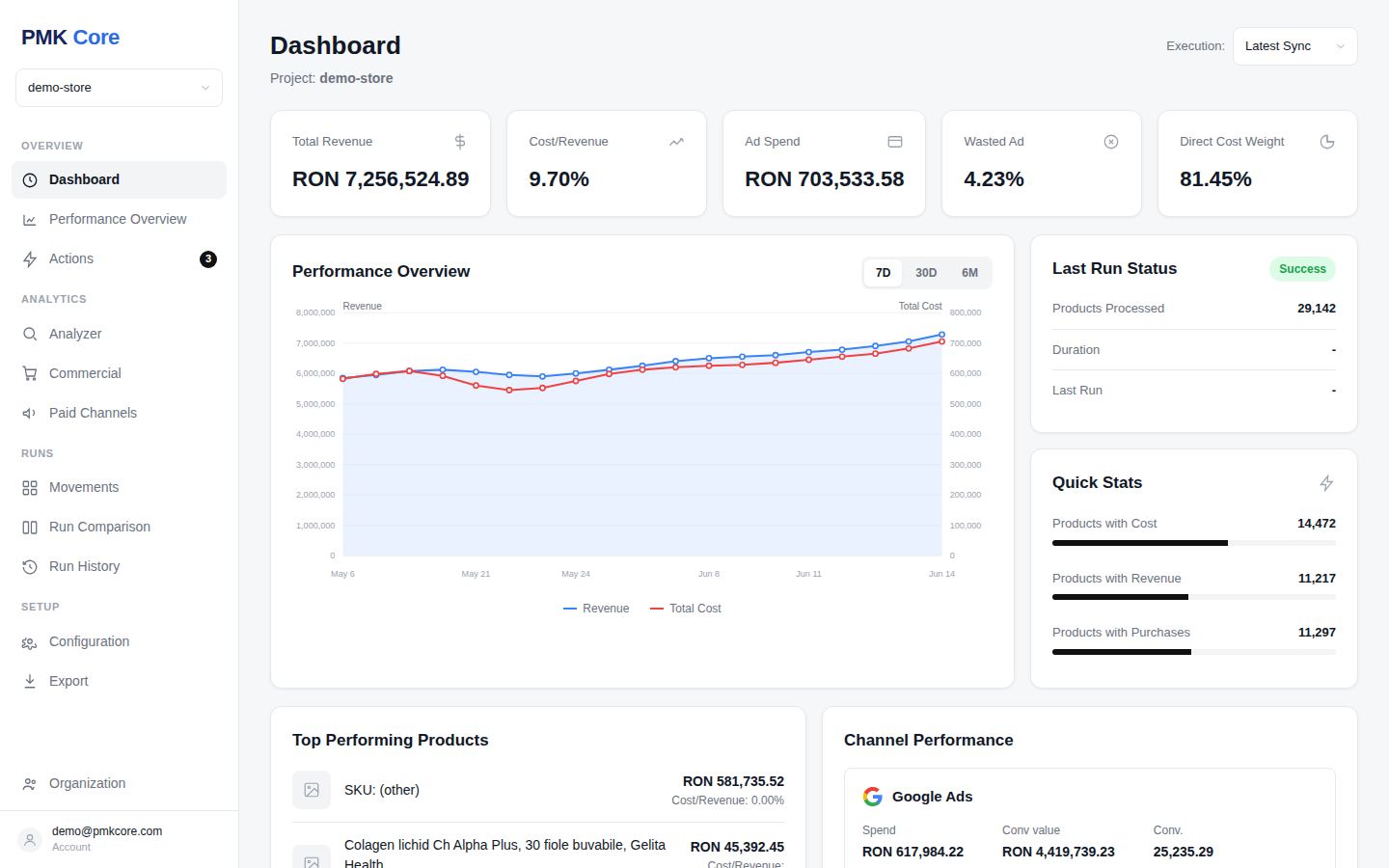
Revenue vs ad cost, wasted budget %, top products — one screen.
See it in the platform →Analyzer
The 7-segment engine over your full catalog.
See it in the platform →Paid Channels
Google vs Meta per product — with Grey Holes exposed.
See it in the platform →Product Detail
Why any product sits in its segment, run by run.
See it in the platform →Movements
What moved between segments since the last run.
See it in the platform →Run Comparison
Two runs, side by side, every delta.
See it in the platform →Actions
A prioritized to-do list from the latest run.
See it in the platform →Export & feeds
Segments pushed to Google & Meta as custom labels.
See it in the platform →For store owners
Stop paying for products that never sell, protect your margin, and let the feed labels do the campaign work — without hiring an analyst.
For e-commerce →For agencies
Run every client as a project under one organization, with roles for your team and read-only access for clients. Run comparisons become your reporting.
For agencies →